Text to Speech Converter is an
application developed for Android cellphones and tablets. It mainly
focuses at conversion of written text to speech in any given language.
Using this application, most of modern android cellphones can feature
the facility of reading text messages so that user doesn’t need to go
through the message. Moreover, the application can be used to learn
pronunciation of words/lines of text.
Below, I have briefly described the
scope and feature of Text to Speech app for Android. From the download
links in this post, you can access the complete source code (code of
android XML file and android JAVA code) of this project.
About Text to Speech Converter Android App:
Nowadays, android mobile phones are used not only for making calls but also for many purposes such as storing documents, capturing pictures,
using internet services etc. And, one of the popular features of
android operating system phone is text to speech converter, which is
being downloaded by large number each day from play store.
As already mentioned, cellphones are used as documentation device. The document or text file
that is typed needs to be read out as proof reading at the end of
writing. Obviously, the user gets tired of typing and feels lazy to read
out the document. As a result of this, a self- reading or self-speaking
software like Text to Speech converter app is proposed for Android
phones.
Features:
- It speaks out the text typed by user correctly and clearly.
- The application is available in multi-language form. It can convert the text of any given language to speech.
- Text to Speech converter can easily be downloaded, installed and used in your android cellphone and tablets.
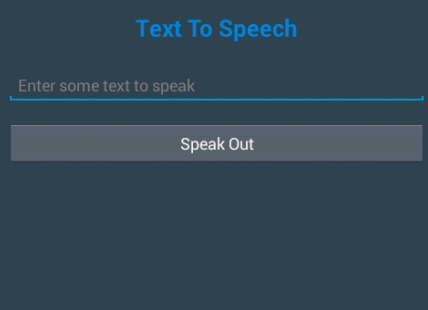
- You have to press Speak Out button to convert your texts into speech.
In order to utilize these facilities of
Text to Speech Converter project, download this app and install on your
device. After the successful installation of app, click the application
icon to open it. Enter the text in edit text box. Finally, press Speak
Out button for speaking out the typed text.
How to Check Text to Speech Converter:
- Download Android XML Code and Android JAVA code from link given in the post.
- Create a new android project.
- Drop text view, text edit button linear layout.
- Now, you need to give ID, txtText to edit text and btnspeak to button.
- Then, initialize Text to Speech(TTS) object after opening the JAVA file.
- Check the language whether it is available or not and supported or not.
- Finally, enter text on text edit box and click Speak Out button.
If you test this project on emulator, you may not hear the voice. Install .APK file
of this project in your android device and use it. This Text to Speech
Android converter app can be used as your semester project in Android
app development. If you have any queries regarding the project or source
code, mention them in the comments.